
Paper Assignments – Request Papers to Handle
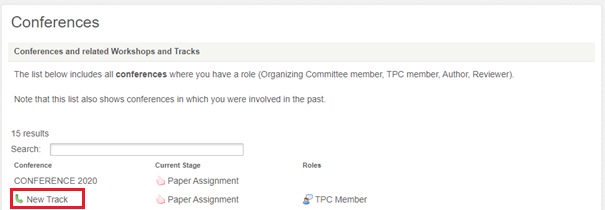
You will receive a notification when the conference moves to Paper Assignment stage. To maximise the likelihood of handling the paper(s) of your choosing, promptly log into Confy+, click on ‘My Conferences’ and then click directly on the track where you can see your role (TPC member) has been assigned – in the screenshot below, it is ‘New Track’.
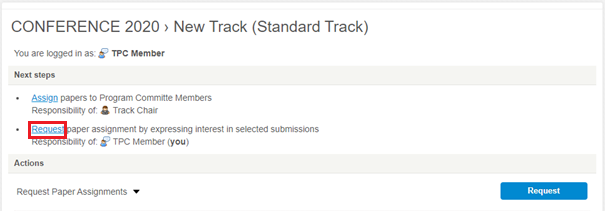
This takes you to the Homepage of the conference. To bid on papers, click ‘Request’
Once you have been assigned to a paper, you receive an email. This means you can begin handling the paper – please see the instructions for this section of the review process below.


